



































Match Configuration
On this screen, the user will define how the data source(s) will be matched.
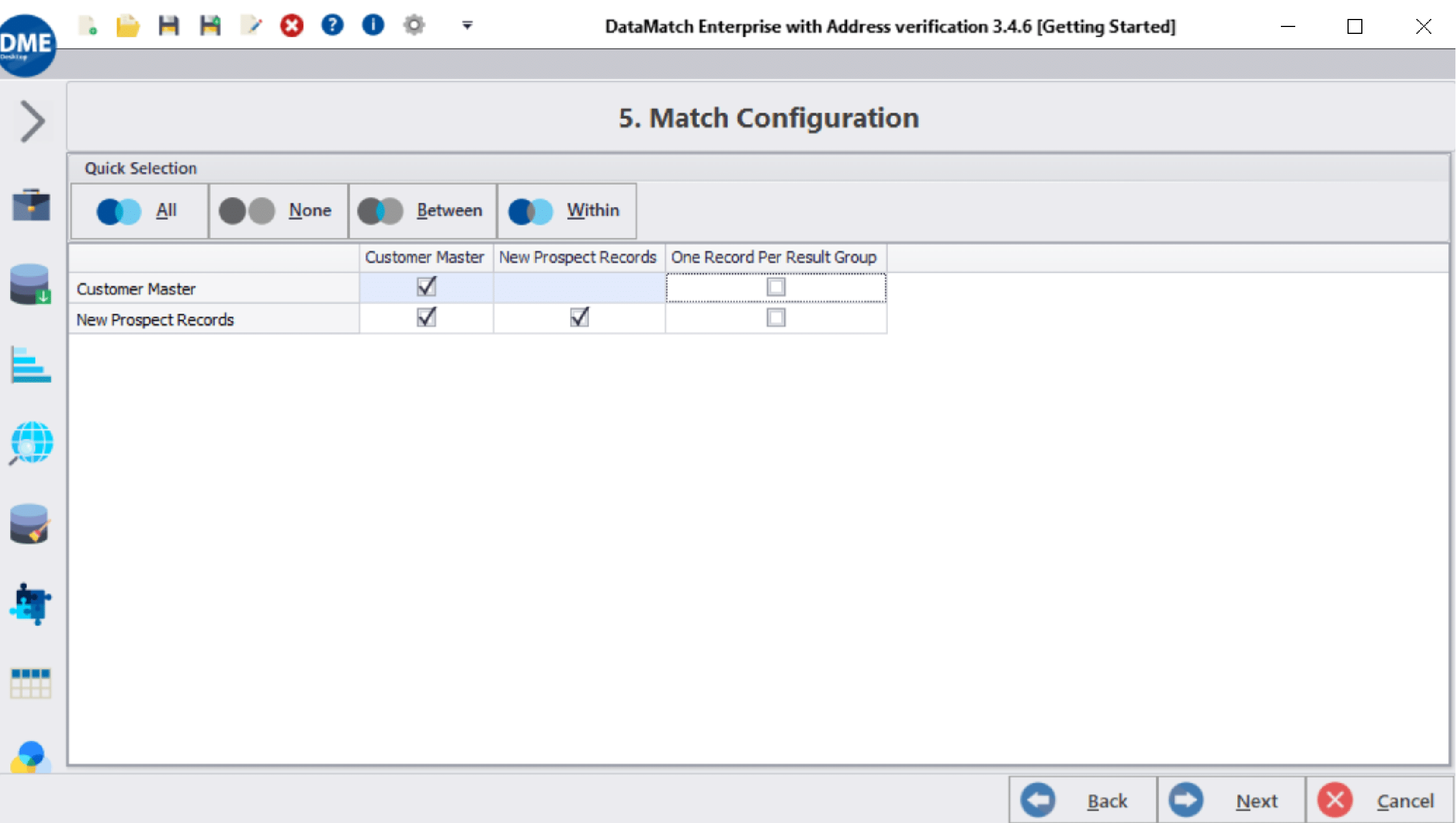
- All: This will look for matches between each data source (matches) as well as will look for matches within each data source (duplicates)
- None: This will unselect all of the boxes. This is not a valid matching option.
- Between: This will look for matches between the data sources and not search for duplicates within the individual data sources.
- Within: This will search for duplicates within the data sources only. No inter-data source matches will be searched.
One Record Per Result Group – This will limit 1 matched record per the selected data source in the resulting group. This is useful when there may be many records that will populate a matched group but the user only wants to know if the record is a match or not. This may be used for a true/false match event.