




































Data Profiling Software
Get instant 360-view of your data with the industry’s leading data profiling tool that identifies blank values, field data types, recurring patterns, and other descriptive statistics, highlighting potential data cleansing opportunities.
Trusted By
Trusted By
DEFINiTION
What is data profiling?
Data profiling is the process of uncovering hidden details about the structure and contents of your datasets. These details may be used for different purposes, for example data quality reporting, metadata verification, and so on.
Data profiling helps to identify potential data cleansing opportunities and assess how well your data scores against data quality dimensions.
A data profiling tool reports on your data quality and analyzes your datasets in terms of different measures – such as completeness, uniqueness, pattern recognition, and other statistics.Â
Benefits
Why do you need a data profiling tool?
Know what you have
Assess the current state of your data in terms of content and structure and build a better understanding of the data at hand.
Generate profiles at lightning speed
Fast and accurate data profiling can help reduce manual labor and human errors, while ensuring timely deliveries.
Consistently track data quality
Monitor data validity and completeness at every step of your data quality management process to ensure data governance.
Reduce cost and mitigate risk
Invest correctly and timely to save cost spent on outsourcing data profiling and performing rework at later stages of DQM.
Facilitate data integration and migration
Profile all data sources and understand their structural differences before initializing a data integration or migration process.
Improve operational efficiency
Increase operational efficiency by planning better utilization of technology and resources, without compromising on quality.
Features
What DME’s data profiling can do for you?
Data profiling tools identify the pattern a column follows and calculate the number of valid and invalid values against the identified pattern. You can use DME’s library of commonly used patterns or create your own using our simple drag and drop pattern builder.
There’s more
What else do I get out of the box?
Our data profiling solution comes with a number of in-built features that facilitate easy, automatic, and cost-effective data profiling at any time.
- Bulk profiling for multiple data sources
- Central repository for all data profiles
- Data profile generation at any time
- Multi-format support for exporting results
- Custom filters for personalized views
- Map charts for locating address values
- Version history of a data profile
- Schedule automatic data profile generation
User roles
A tool made for everyone

Data analysts

Business users

IT Professionals

Novice users

Features
We take care of your complete DQM lifecycle
Import
Connect and integrate data from multiple disparate sources
Profiling
Automate data quality checks and get instant data profile reports
Cleansing
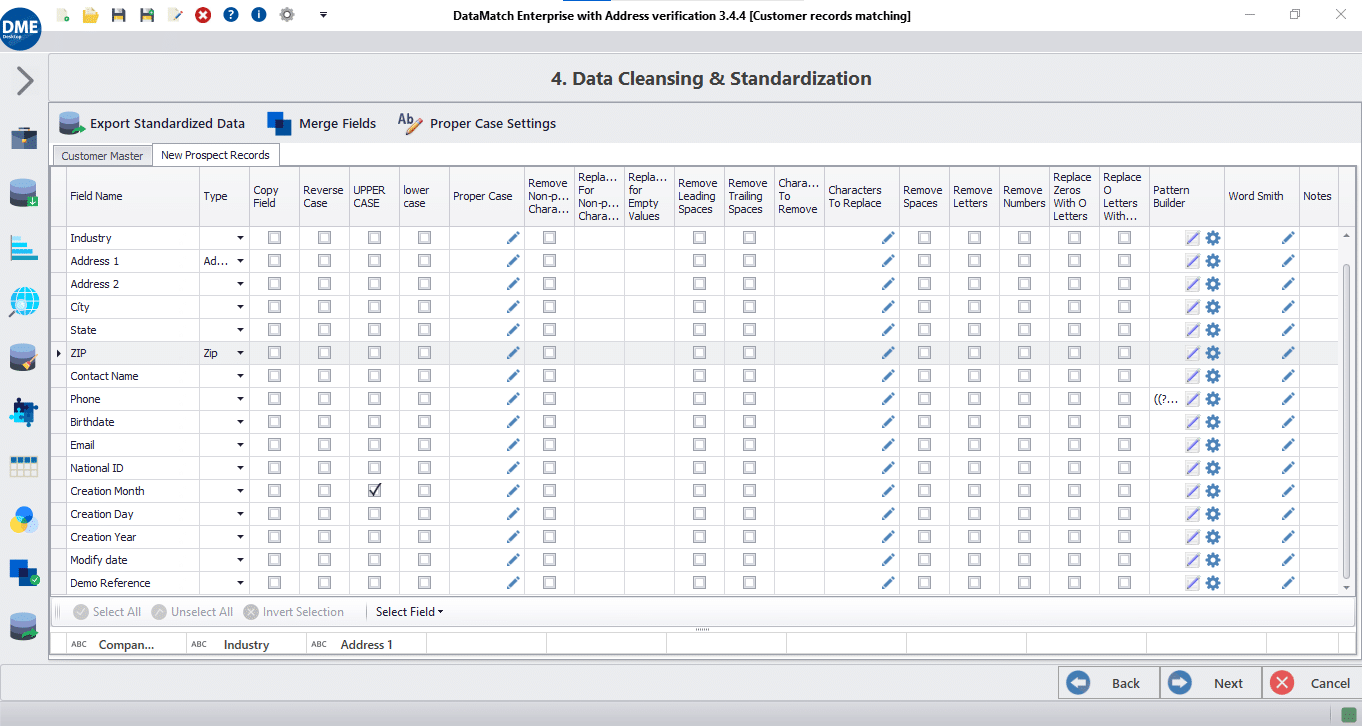
Standardize & transform datasets through various operations
Matching
Execute industry-grade data match algorithms on datasets
Deduplication
Eliminate duplicate values and records to preserve uniqueness
Merge & purge
Configure merge and survivorship rules to get the most out of data
Want to know more?
Check out DME resources

Merging Data from Multiple Sources – Challenges and Solutions

Oops! We could not locate your form.

Better Reporting & Analytics Through Higher Data Quality
Last Updated on February 6, 2026 In 2022, Unity disclosed a $110 million financial loss after its ad targeting tool ingested flawed data. That same

Source-to-Target Mapping Best Practices for Accurate, Scalable Data Pipelines
Last Updated on January 28, 2026 Source- to-target mapping usually gets attention for about five minutes, right before a pipeline goes live. After that, it’s

Better Reporting & Analytics Through Higher Data Quality
Last Updated on February 6, 2026 In 2022, Unity disclosed a $110 million financial loss after its ad targeting tool ingested flawed data. That same

Source-to-Target Mapping Best Practices for Accurate, Scalable Data Pipelines
Last Updated on January 28, 2026 Source- to-target mapping usually gets attention for about five minutes, right before a pipeline goes live. After that, it’s

Managing Nicknames, Abbreviations & Name Variants in Enterprise Entity Matching
Last Updated on January 26, 2026 A name might feel like the simplest identifier, but in enterprise datasets, it rarely is. In the US and
Frequently asked questions
Got more questions? Check this out
DataMatch Enterprise offers advanced pattern recognition using Regular Expressions (RegEx) for deeper analysis of data types and custom validation rules—capabilities not available in basic profiling tools like WinPure. DME integrates profiling seamlessly with the complete data quality lifecycle (cleansing, matching, deduplication, merge-purge) within a single platform, eliminating the need to export profiles to separate tools. It also provides unique features like version history of data profiles, map chart visualization for address fields, automated scheduled profiling, and a central repository for all profiles across multiple data sources.
DataMatch Enterprise delivers instant profiling results with a visual, code-free interface designed for business users, while Informatica and Talend require technical expertise and complex configuration. DME processes profiling jobs in seconds locally on your machine without uploading data to cloud servers, ensuring data security and compliance. Unlike enterprise platforms that charge per-user or per-node licensing, DME offers straightforward pricing with immediate deployment. The profiling results in DME directly feed into built-in cleansing and matching workflows, eliminating data handoffs between separate tools.
Yes, DataMatch Enterprise supports scheduled automatic profile generation—a capability not commonly available in competing tools. You can profile data from different departments or systems in a single operation and store all profiles in a centralized repository for comparison and tracking. The tool handles varying schemas and data standards across sources, making it ideal for organizations consolidating data from disparate systems. This multi-source capability streamlines data integration and migration projects by identifying structural differences upfront.
Yes, DataMatch Enterprise includes sophisticated pattern recognition using Regular Expressions (RegEx) to identify and validate data patterns. The tool comes with built-in pattern templates for common fields like email addresses, phone numbers, dates, and ZIP codes, plus a drag-and-drop Pattern Builder for creating custom validation rules for proprietary data formats. Pattern profiling calculates the number of valid versus invalid values against identified patterns, helping prioritize cleansing efforts. This advanced capability exceeds basic profiling tools that only show data types and frequencies.
DataMatch Enterprise delivers profiling results in seconds, even for datasets with millions of records and hundreds of columns. The optimized profiling engine performs completeness analysis, frequency distribution, character analysis, statistical calculations, and pattern recognition simultaneously without manual scripting or database queries. Profiling speed scales efficiently with data volume, ensuring consistent performance whether processing thousands or millions of records. This speed advantage allows data teams to profile iteratively throughout data quality projects without workflow delays.
Yes, DataMatch Enterprise supports scheduled automatic profile generation—a capability not commonly available in competing tools. You can configure profiling jobs to run daily, weekly, or monthly, automatically analyzing data quality trends over time. Scheduled profiling enables proactive data quality monitoring, alerting teams to emerging issues before they impact business operations. Version history tracking lets you compare profiles across time periods to measure data quality improvements or identify degradation.
Yes, DataMatch Enterprise features an intuitive visual interface specifically designed for business users, data analysts, and non-technical teams. No coding, SQL knowledge, or database expertise is required—the point-and-click interface guides users through profiling configuration, execution, and result interpretation. Unlike enterprise platforms requiring IT involvement, business users can independently profile data, identify quality issues, and proceed to cleansing and standardization. The instant data preview feature shows profiling results with visual charts and statistics that anyone can understand.
DataMatch Enterprise provides a complete data quality lifecycle within a single platform: profiling → cleansing → matching → deduplication → merge-purge. Profiling results directly inform cleansing strategies by highlighting blank values, invalid patterns, and standardization opportunities. The same datasets profiled in DME can immediately transition to cleansing, matching, and merging without exports or imports. This integrated approach eliminates tool switching, data handoffs, and process delays common with standalone profiling tools or disparate quality platforms. Organizations achieve faster time-to-value by managing the entire data quality workflow in one application.